Convenience
For many buyers, the biggest advantage is that the system is already assembled, configured, and ready to use right away.
Store-bought gaming computers can be a good fit for a lot of people. They often offer strong specs, a recognizable brand, and the convenience of buying a complete system ready to go. At the same time, they are usually designed around factory assembly, compact layouts, and specific cost or space targets.
That does not automatically make them bad systems. It just means they are built differently than a custom computer. This page is here to show what that can look like in the real world and what customers should expect when it comes to upgrades, access, and long-term serviceability.
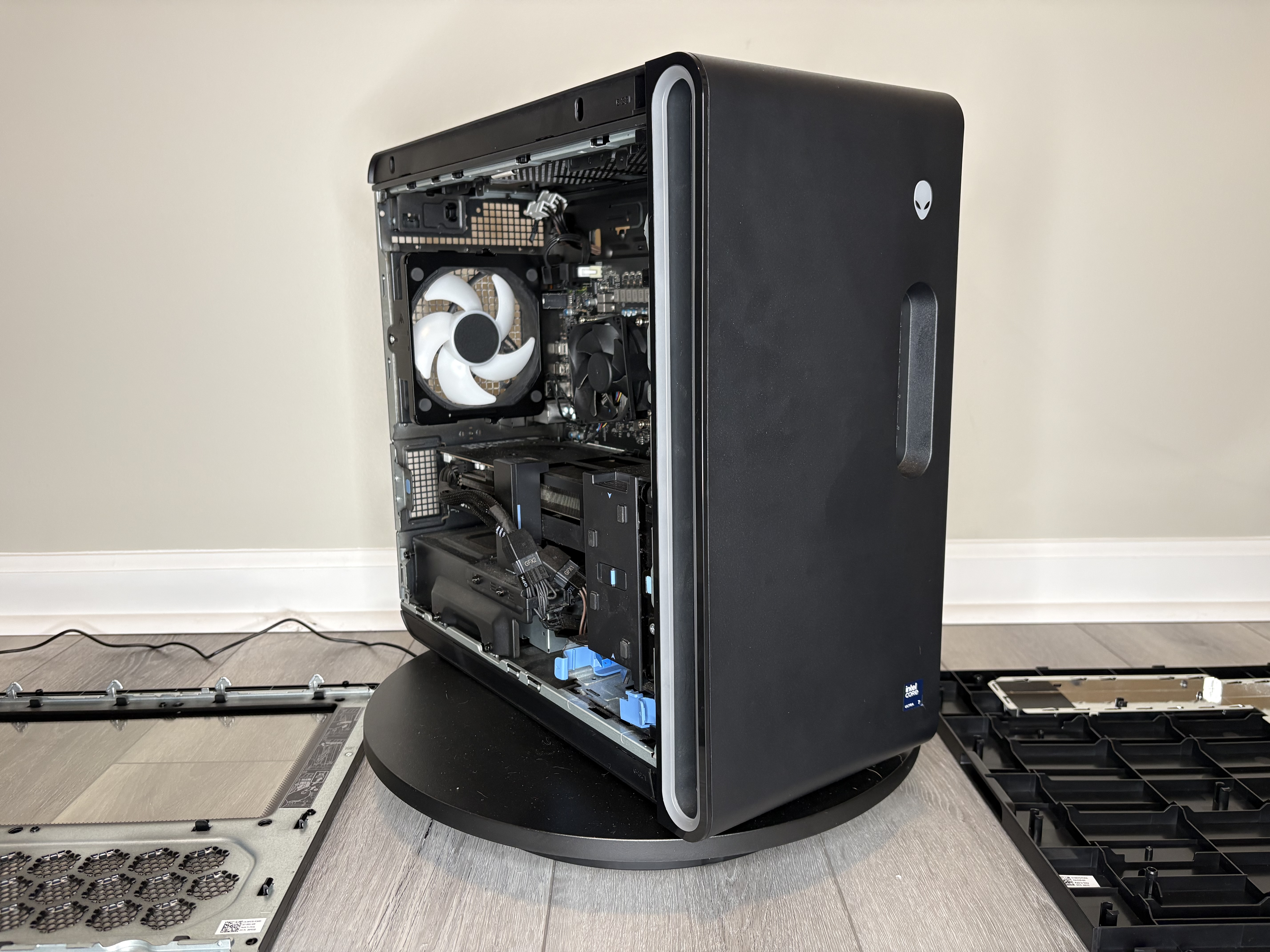
For many buyers, the biggest advantage is that the system is already assembled, configured, and ready to use right away.
A lot of retail gaming desktops can include capable processors, modern graphics cards, and fast SSD storage right out of the box.
Many store-bought systems are designed to look clean and take up less room, which can be appealing if desk space is limited.
Compact layouts often leave less room around the motherboard, power supply, and graphics card, which can make upgrades more involved.
Some store-bought systems use layouts or brackets that work fine from the factory but offer fewer easy upgrade paths later on.
Even when a part can be replaced, the surrounding layout may mean extra disassembly and tighter access compared to a standard custom build.
This system came in for extremely slow performance and general instability. After diagnosing the system, the root cause turned out to be malware-related.
The system was cleaned, stabilized, and the operating system was reset while preserving the customer’s files. After the repair, performance returned to normal and the system was usable again.
While working on the system, it also provided a good real-world example of how store-bought gaming desktops are typically laid out internally and what that can mean for upgrades and service work later.
Note: This example is used to show layout and serviceability. No personal data is ever accessed or shared beyond what is necessary to complete repair work.
This page uses a real Alienware gaming desktop as an example of what buyers may encounter when upgrading a store-bought system.
These photos show the kind of layout details that matter when a power supply or graphics card upgrade comes in.
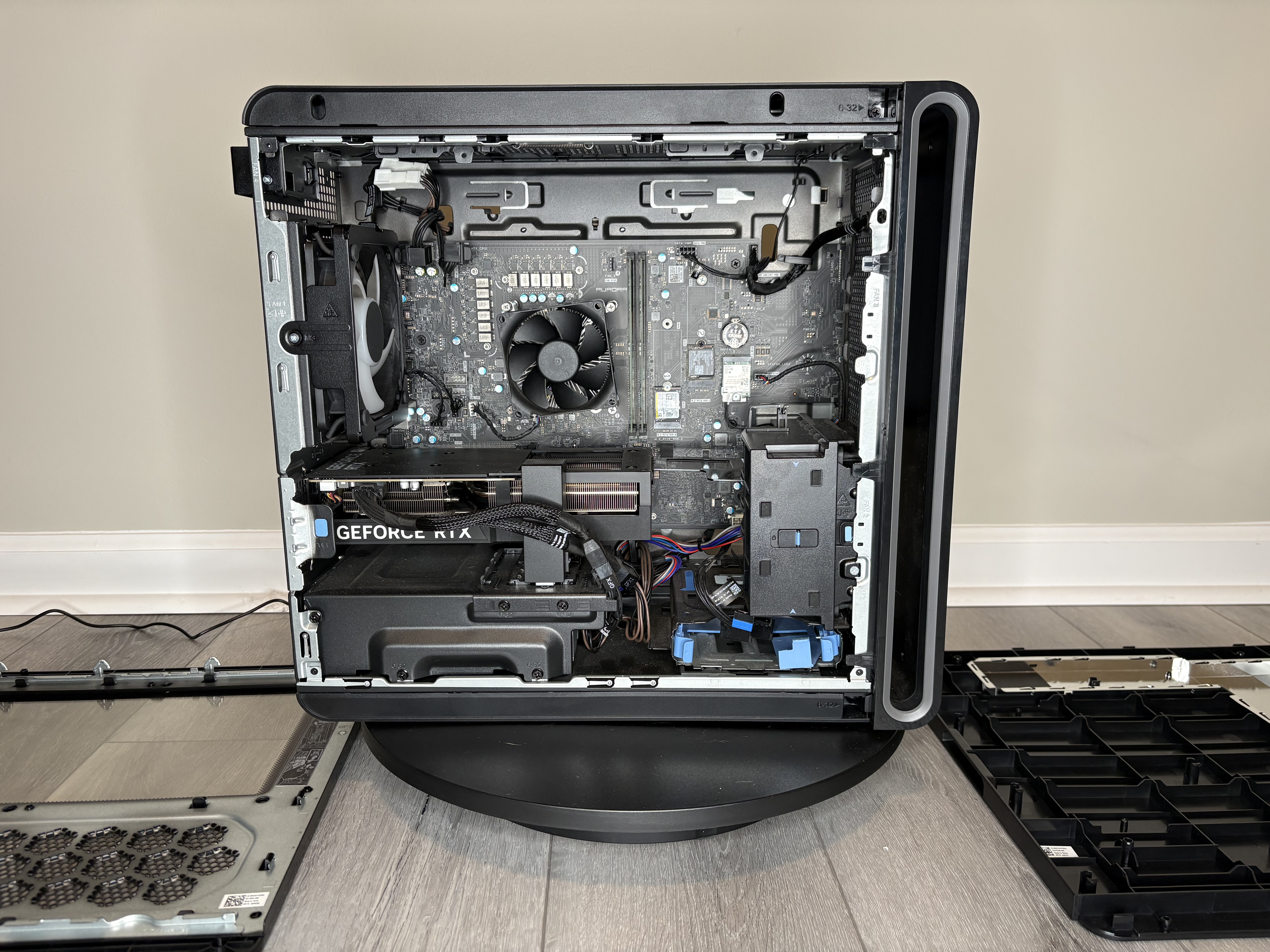
This is the overall internal layout. It is clean and compact, but that compactness also means there is less working room than in many standard custom cases.
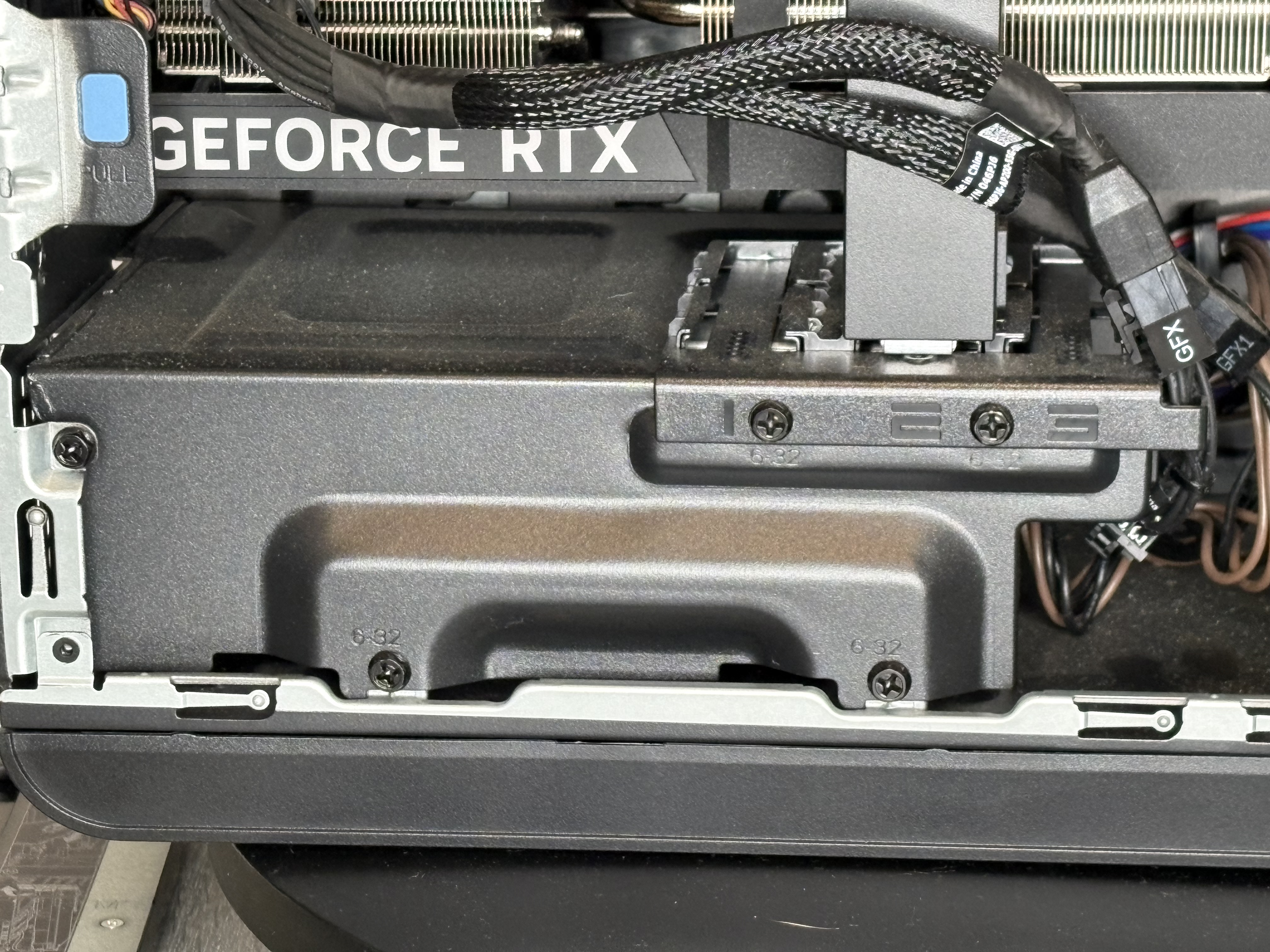
In this system, the power supply is mounted in a compact area beneath the graphics card, with limited clearance and surrounding structure. That works for the factory configuration, but upgrades in this area can be more time-consuming than in a more open standard layout.
It also appears more restrictive than a standard custom build using a regular ATX power supply. If a future graphics card upgrade needs more wattage or different cable clearance, the power supply options and working space may be more limited than what you would typically have in a more standard custom case.
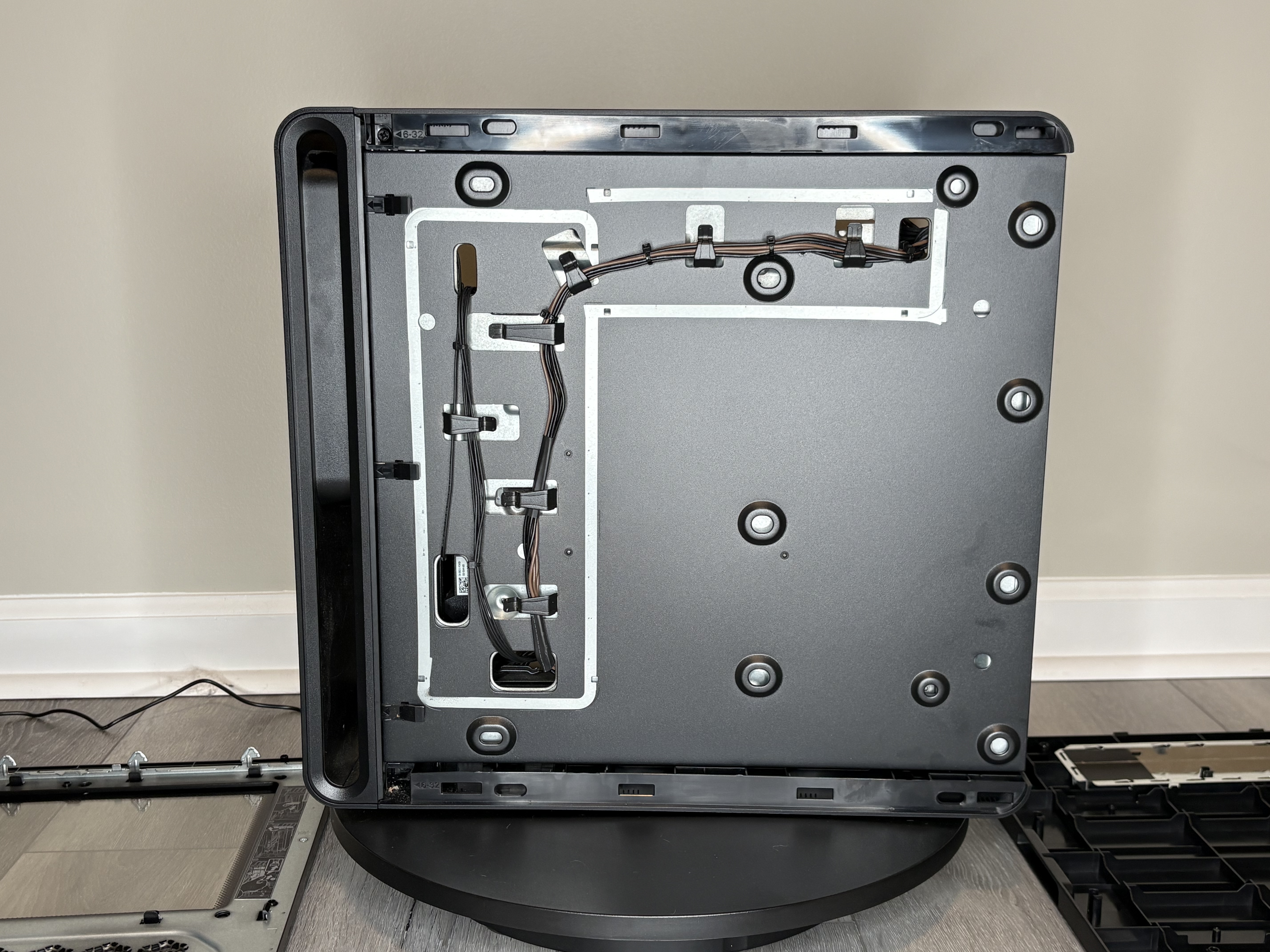
The backside shows a simplified routing path that is functional for factory assembly, but offers fewer routing paths and less flexibility compared to a custom case built around long-term access and upgrades.
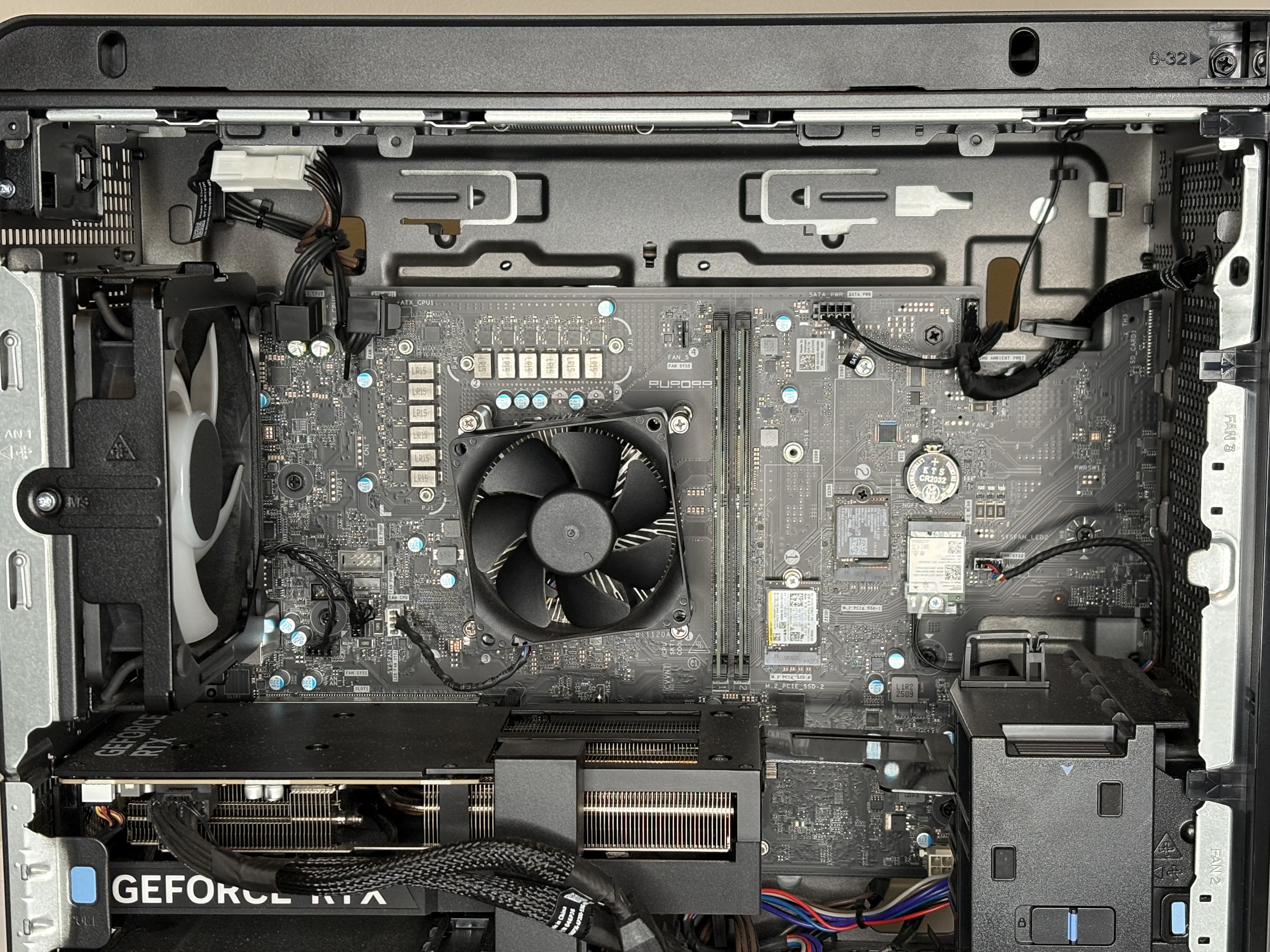
Looking closer at the board area helps show how these systems are often designed around a compact layout first. The goal is not necessarily maximum expansion space, but fitting the factory design efficiently.
A store-bought gaming computer is not automatically a bad machine. For many people, it may do exactly what they need for gaming, school, or general use.
The internal layout, upgrade path, and service access may be more limited than what you would find in a custom-built computer using a more standard case and more open internal design.
The main point is not that one category is always right and the other is always wrong. It is that buyers should know what kind of tradeoffs often come with a store-bought gaming system.
| Area | What You Often Get | What To Expect Later |
|---|---|---|
| Case Design | Compact, polished, ready to use | Less working room during upgrades |
| Component Layout | Factory-planned layout | May be tighter to access and service |
| Graphics Card Upgrades | Good performance from the original configuration | Clearance, brackets, or surrounding layout may matter more |
| Power Supply Upgrades | Designed around original system needs | Replacement can be more involved and future options may be more limited |
| Cable Routing | Functional factory routing | Usually less flexible than a custom build |
This turntable clip gives a better overall sense of the system layout and presentation from multiple angles.
This page explains what to expect from a store-bought system. If you also want to see how a custom-built system is presented, laid out, and photographed, the custom build page gives a good side-by-side sense of the difference in approach.
Go To the Custom Build PageIf you are trying to upgrade a store-bought gaming desktop and want help figuring out what makes sense, feel free to reach out.
Contact JMG Computers, LLC